登录
空间
按回车键(Enter)搜索
帮助
在线帮助
快捷键
RSS源建立器
新功能
可用的小工具
关于Confluence
登录
MES制造执行系统
页面
博文
页面树结构
浏览页面
设置
空间管理
查看页面
t
附件(13)
页面历史记录
页面信息
以层级方式查看
查看页面源代码
导出为PDF
导出为Word
Page View Statistics
页面
…
MES制造执行系统
德沃克制造执行系统(MES)
生产管理系统(MES)
生产操作
生产执行
压铸场景
压铸报工
页面历史记录
版本比较
旧版本
1
changes.mady.by.user
尹嘉伟
保存于
8月 16, 2024
比较
新版本
当前版本
changes.mady.by.user
尹嘉伟
保存于
8月 16, 2024
查看页面历史记录
标识
该行被添加。
该行被删除。
格式已经改变。
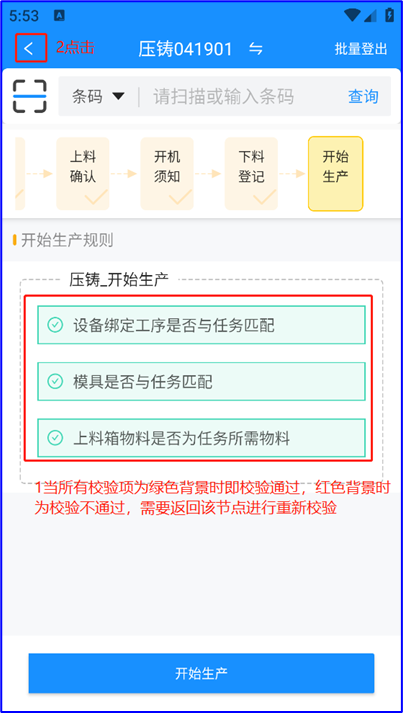
一、登入工位
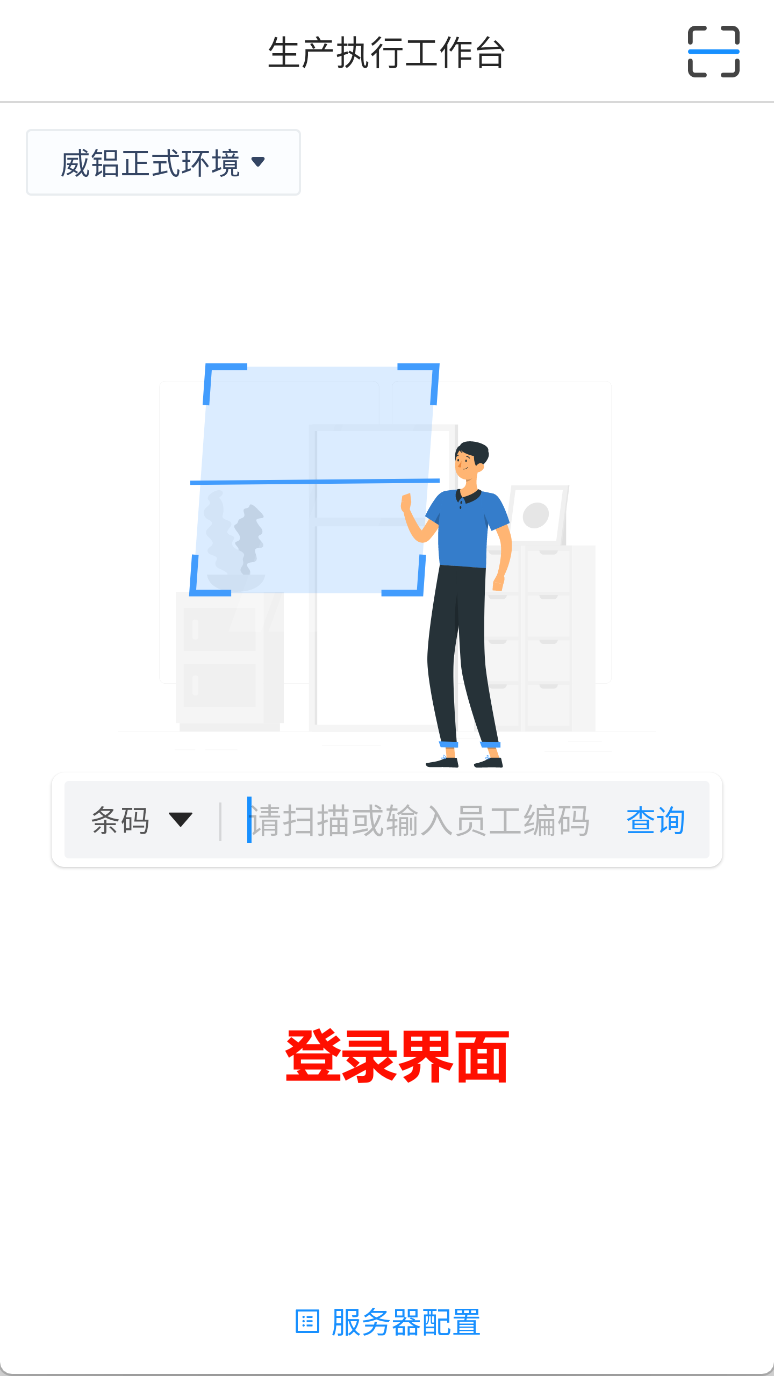
1. 在PAD/PDA端找到
“德沃克智造”
,进入登录界面
Image Added
Image Added
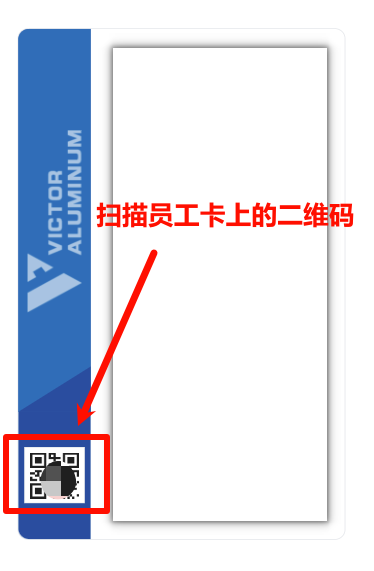
2. 在登录界面扫描员工卡,跳转至工位界面,
Image Added
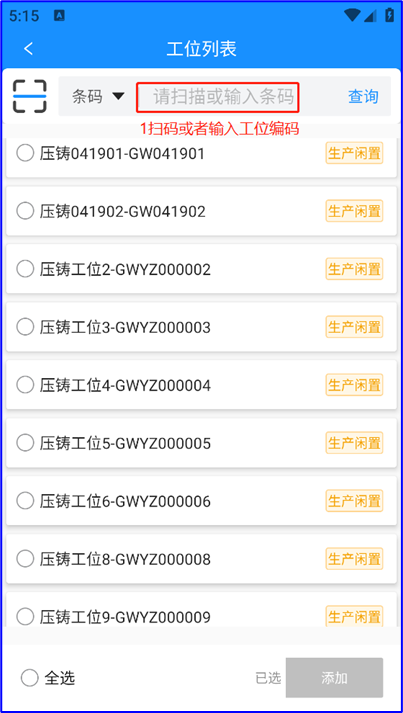
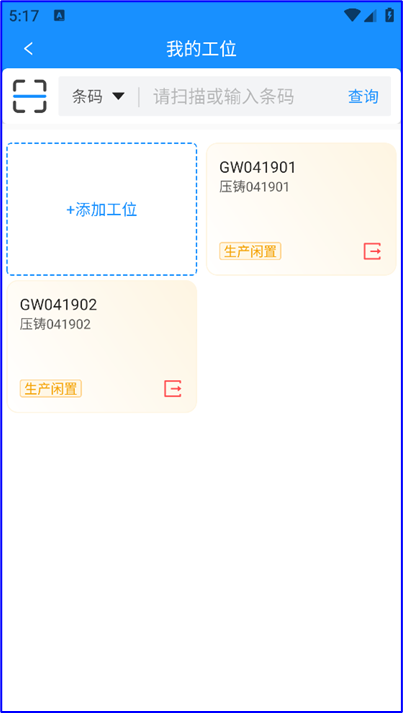
3. 扫机台上的工位码或手动添加工位
Image Added
Image Added
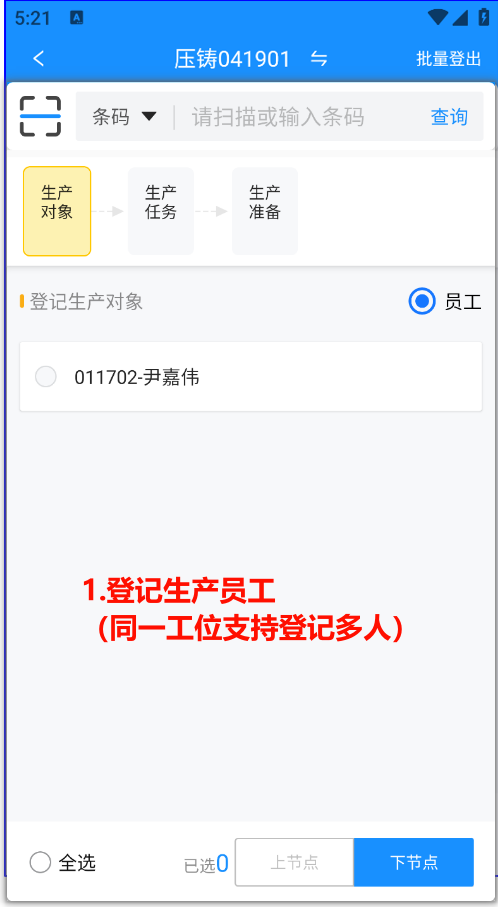
二、进入生产准备阶段
1.登记员工
Image Added
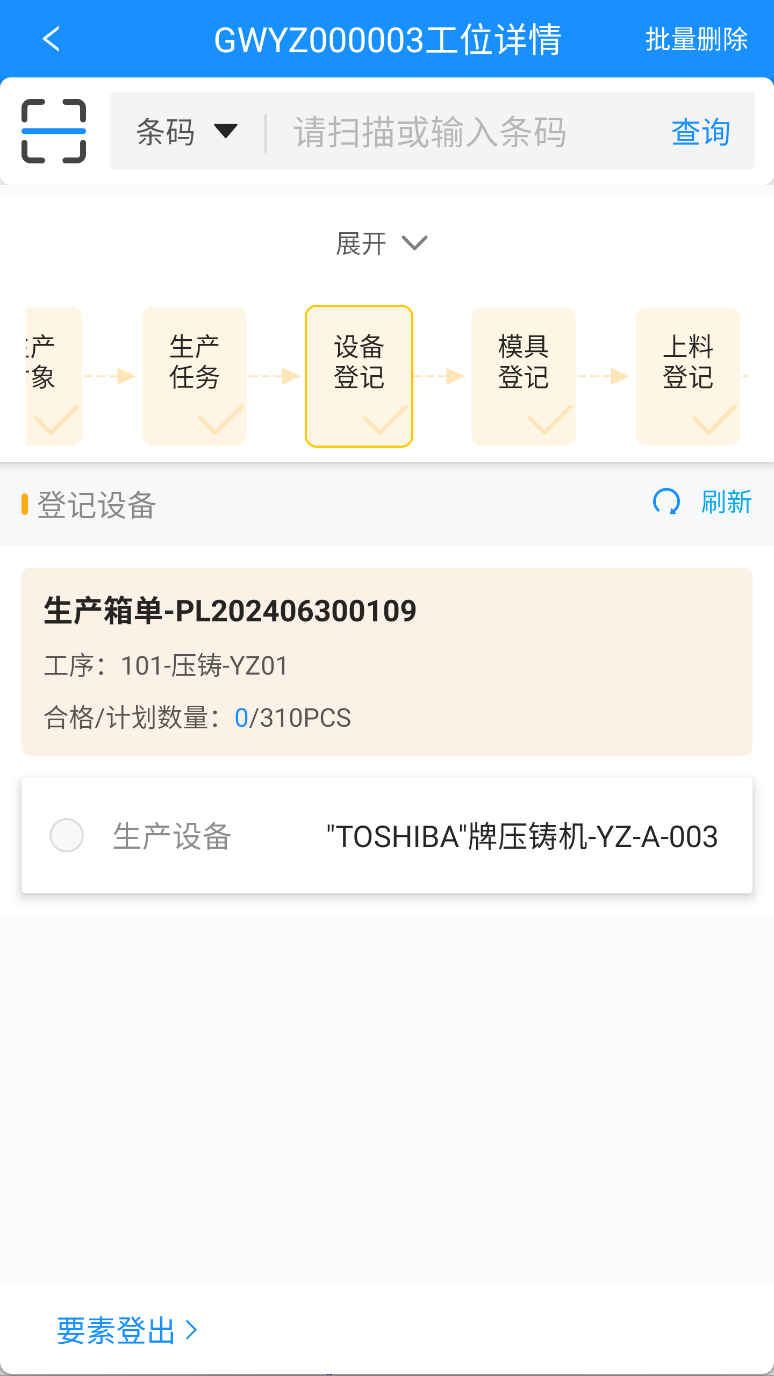
2.登记生产任务
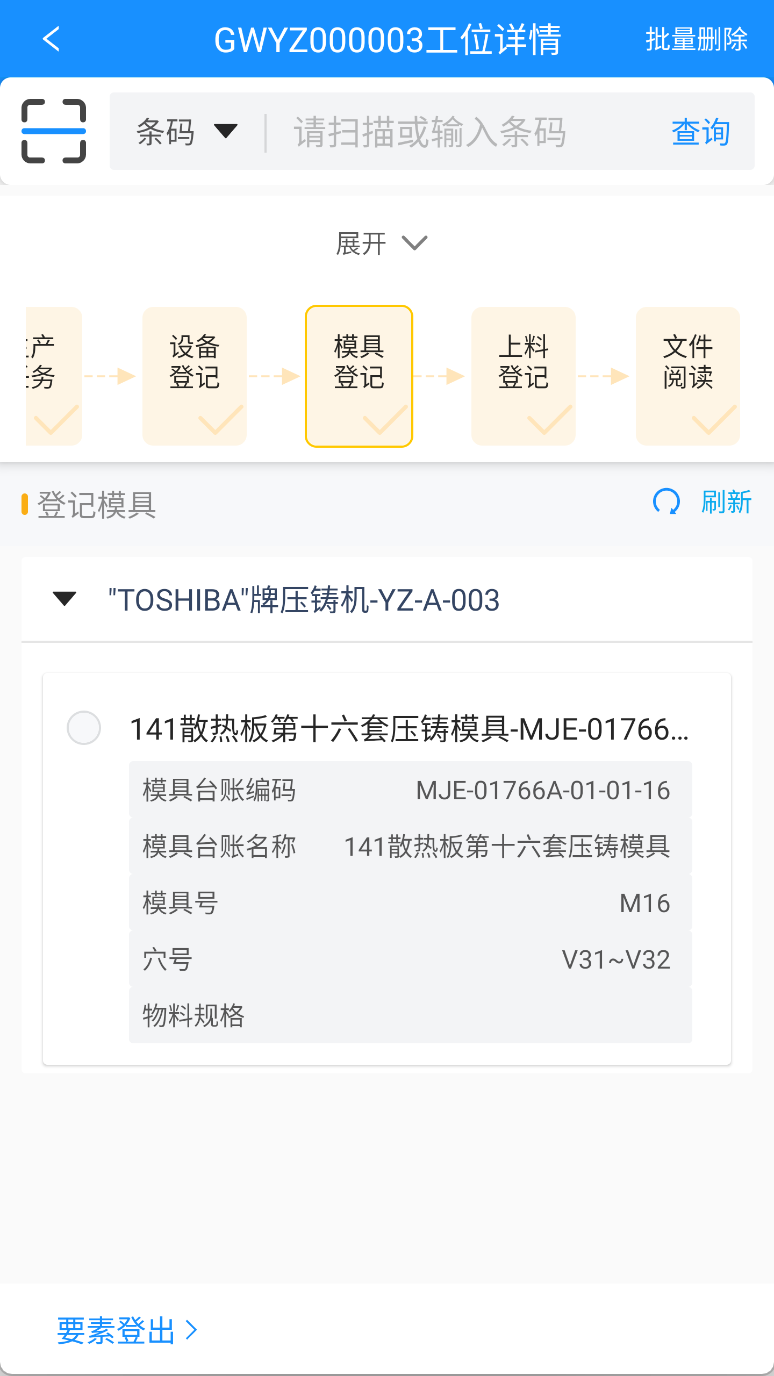
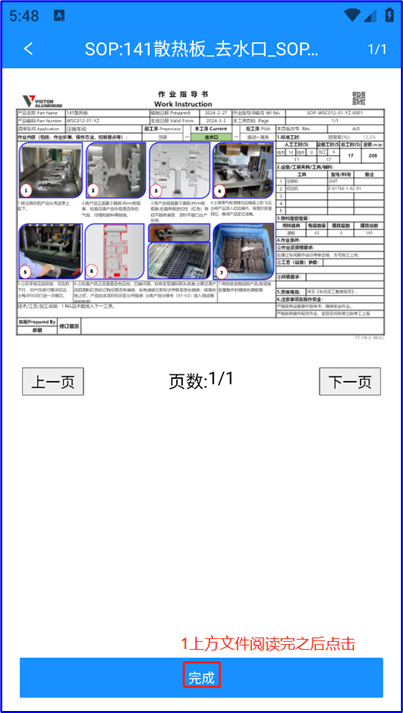
3.登记生产资源
Image Added
Image Added
Image Added
Image Added
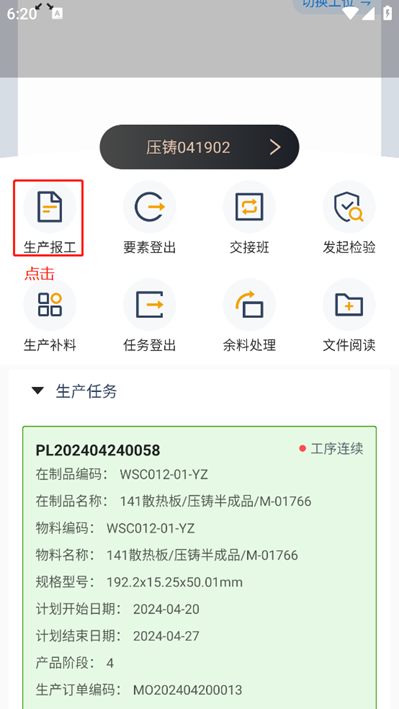
三、生产报工
1.点击生产报工
Image Added
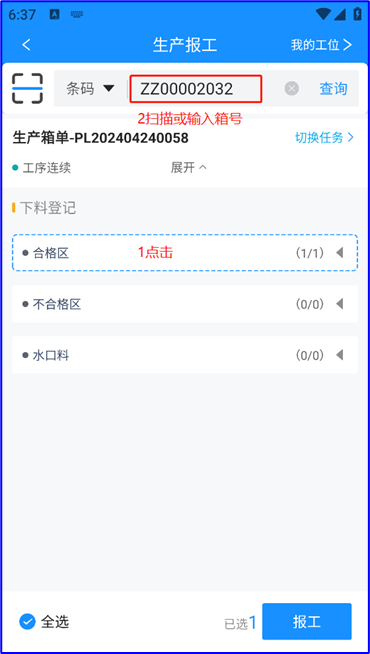
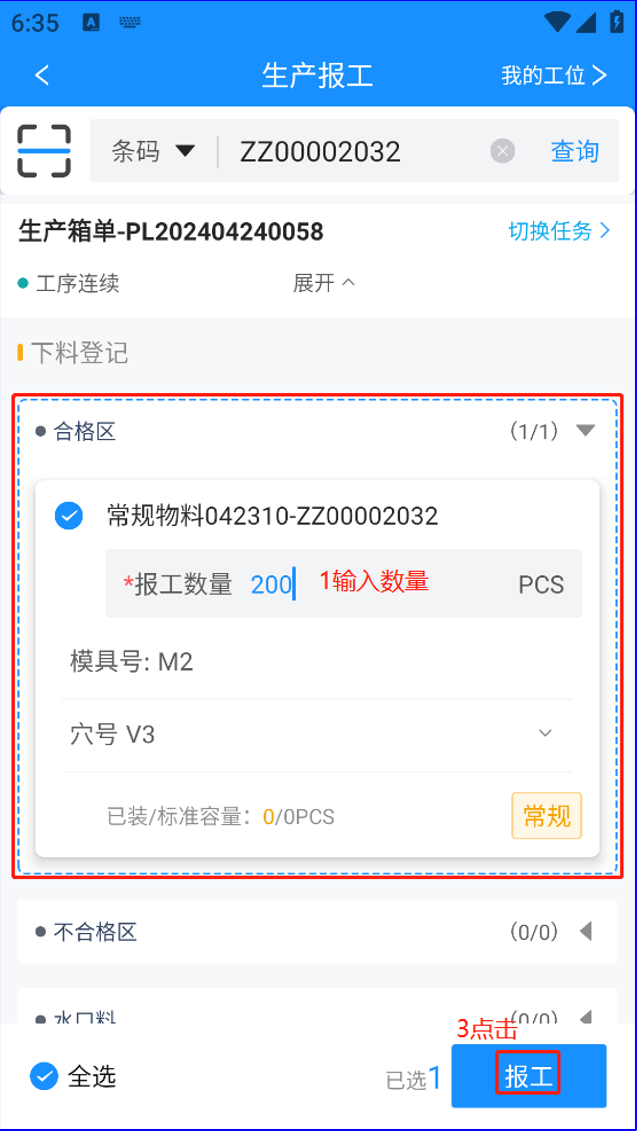
2.点击生产报工
Image Added
Image Added
概览
内容工具
{"serverDuration": 68, "requestCorrelationId": "58e92dc40f9873ae"}